AD – This is a sponsored post. All thoughts and opinions are my own.
I’ve worked from home for over 4 years now. Although there are so many benefits – greater freedom, better lunches and more comfortable seating – there are also some big drawbacks.
It’s all too easy to get distracted by my never-ending chores or by the postman knocking on my door. It’s so easy to feel lonely or to get into bad habits.
So, over the past few years, I’ve had to really think about my remote work setup. I’ve had to consider what I need from day to day to stay focused, get creative and produce my best work. It’s a constant process!
My system isn’t perfect, but it helps me stay productive while I work from home. It helps me look after myself, even while spending hours at my desk, and it encourages me to find creative inspiration when I need it most.
How to create a productive remote work setup
If you work from home, it can be hard to create a productive remote work setup that actually works for you. I’ve put together everything I’ve learned from the past few years. How can you avoid distractions and stay productive – all while looking after yourself?
1. Get comfortable
First things first, your remote work setup needs to be comfortable. You need a dedicated space where you can focus, whether that’s a desk in your bedroom or a work-from-home office.
Be realistic about your workspace. Although there’s nothing wrong with working from the sofa or working in your pyjamas occasionally, it’s not the best idea long-term. You need to create distinctions between your work and your personal life if you want to successfully establish boundaries.
Ideally, you need a space where you can sit for long periods of time without back pain. You need a comfortable chair, loose clothing and decent lighting.
Don’t forget plenty of cushions, blankets and hot water bottles. Working from home all day can get cold, particularly in winter or when you don’t want to turn on the heating. You’ll need a warm, comfortable space to achieve your best!
2. Remove all clutter
Clutter is the enemy of productivity. It’s easy to see that clutter and think, “I’ll just clear it away, it won’t take long.” An hour later, you’re no further with your work… but you do have a very tidy, clutter-free house!
Remove any clutter in your workspace before you start work to avoid this very real scenario. This will also help your mind feel a little clearer, too.
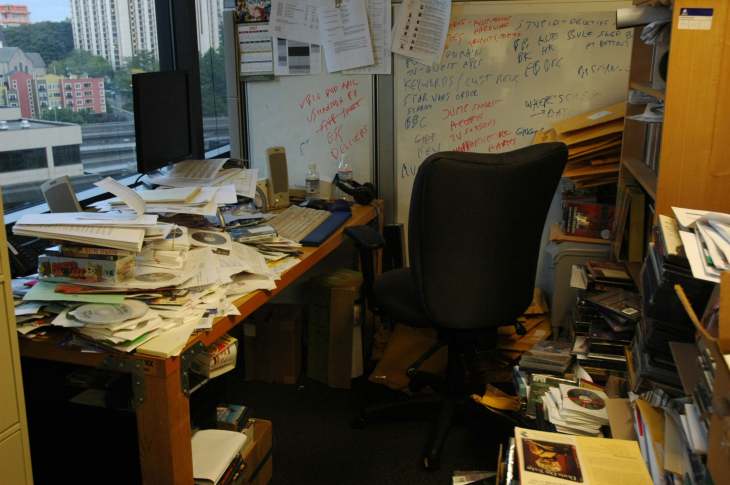
I always feel anxious working in a super untidy space (don’t get me wrong, some organised chaos is very much part of my system). By clearing unnecessary or messy clutter before you start the day, you can create a productive remote work setup for yourself.
You can store away your clutter or do a full clear-out – it’s up to you. Just as long as it helps you keep your mind clear, focused and ready for work.
3. Don’t forget about your health
Chances are, if you work from home, you spend a lot of time sitting at your desk. They say sitting is the new smoking, so make sure to take regular breaks. You’ll need to stand up, walk around your house, or go outside for some fresh air.
If you use a computer all day, you’ll also need to avoid straining your eyes. Make sure your screen is at a comfortable, safe distance from your eyes. You should also wear any required eyeglasses while you work.
Here are some tips to look after yourself while you work from home:
- Do regular back, arm, wrist and leg stretches
- Get up from your desk at regular intervals
- Speak to other people online or in person to avoid loneliness
- Eat healthy snacks and drink plenty of water
Looking for more tips? Check out my step-by-step guide to setting up a productive home office.
4. Stock your office
You’ll need to stock up your office, desk or unconventional workspace with everything you need for a successful and productive day of work.
You’ll need basic office supplies like pens, paper and notebooks, but don’t forget about all the things that make your day bearable, too. Stock up on fidget toys, lip balm, snacks, hot water bottles, fluffy socks, candles and air freshener.
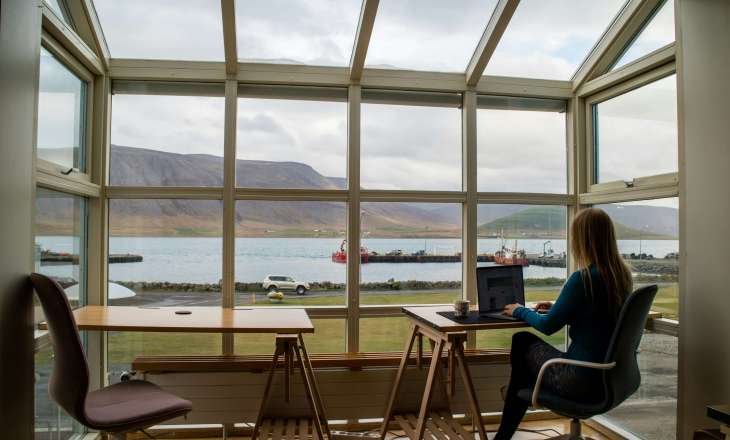
However, I recommend leaving a few key things out of reach. This encourages you to get up, get moving and stretch your legs. You could keep your snacks in the kitchen, for example, or leave your diary just out of arm’s reach.
It’s all about finding those little ways to create a healthy, productive and focused remote work setup for yourself.
5. Get creative
Just because your remote work setup is productive, that doesn’t mean you can’t have a bit of fun with it! Decorate your space to reflect your personality. Put up posters, light candles, frame important photos and fill your workspace with plants.
On my desk, I have lots of quotations, posters and photos that reflect my interests. They also encourage me to be a better worker, such as a poster that says, “Go in there with the confidence of an incredibly average white man.” It’s a good reminder!
This will add a unique touch to your remote work setup. You’ll feel excited to work from home every day – and your workspace will truly feel like yours.
Do you work from home? How do you stay comfortable and productive? What are your tips for a productive remote work setup?
Let me know all your thoughts in the comments below 🙂
Happy reading x

 Not-So-Modern Girl
I feel like you could have written this for me today!! I need to take a lot of this on board over the coming months. My personal favourite tip is to find a community to check in with. I find both in-person and online co-working to be the most reliable way of pushing me to stop procrastinating, get some work done and feel less alone!
LikeLike